
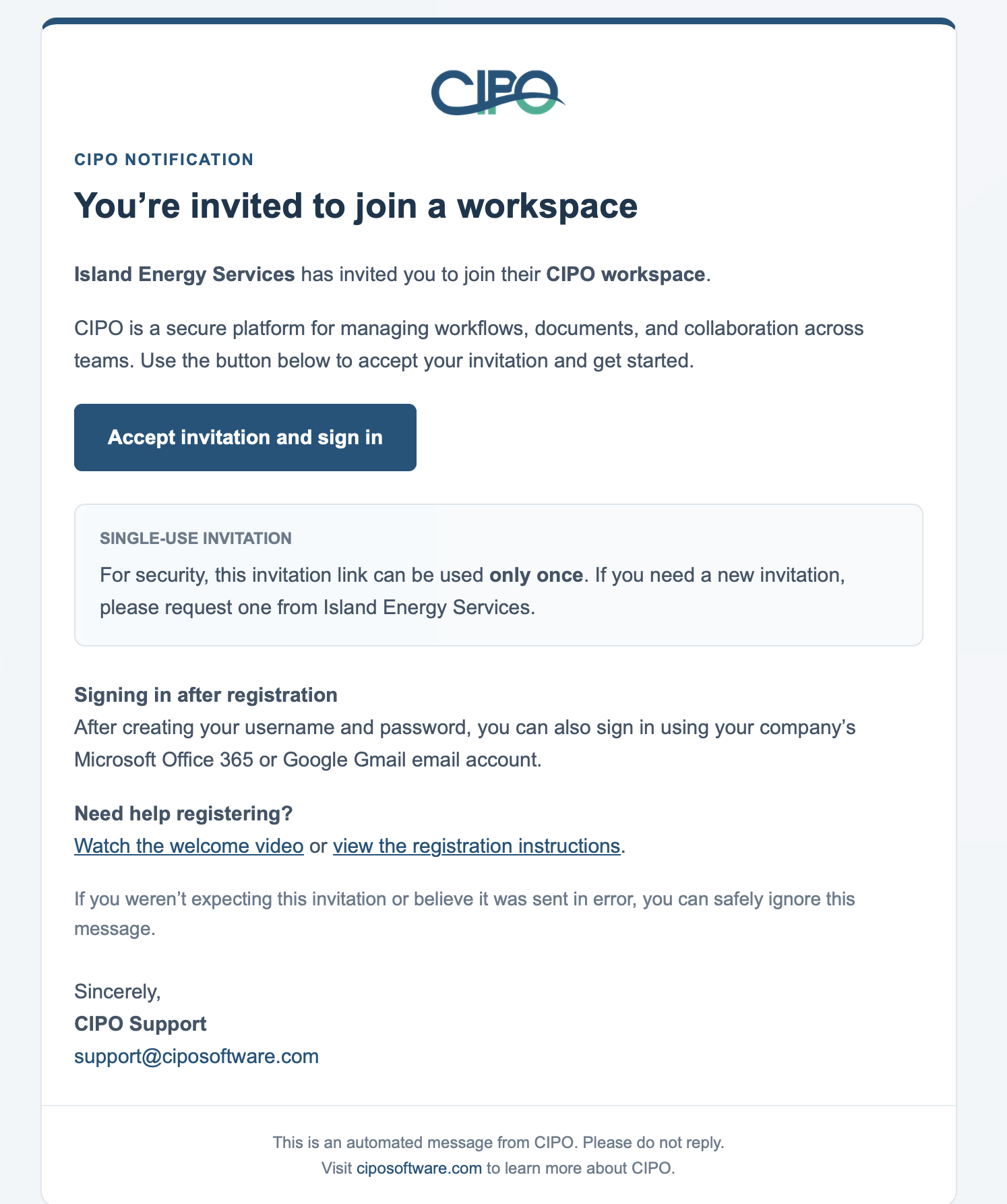
1. Open the invitation email. The subject will look similar to: You’re Invited to Join CustomerName on CIPO.
2. Click Accept invitation and sign in.
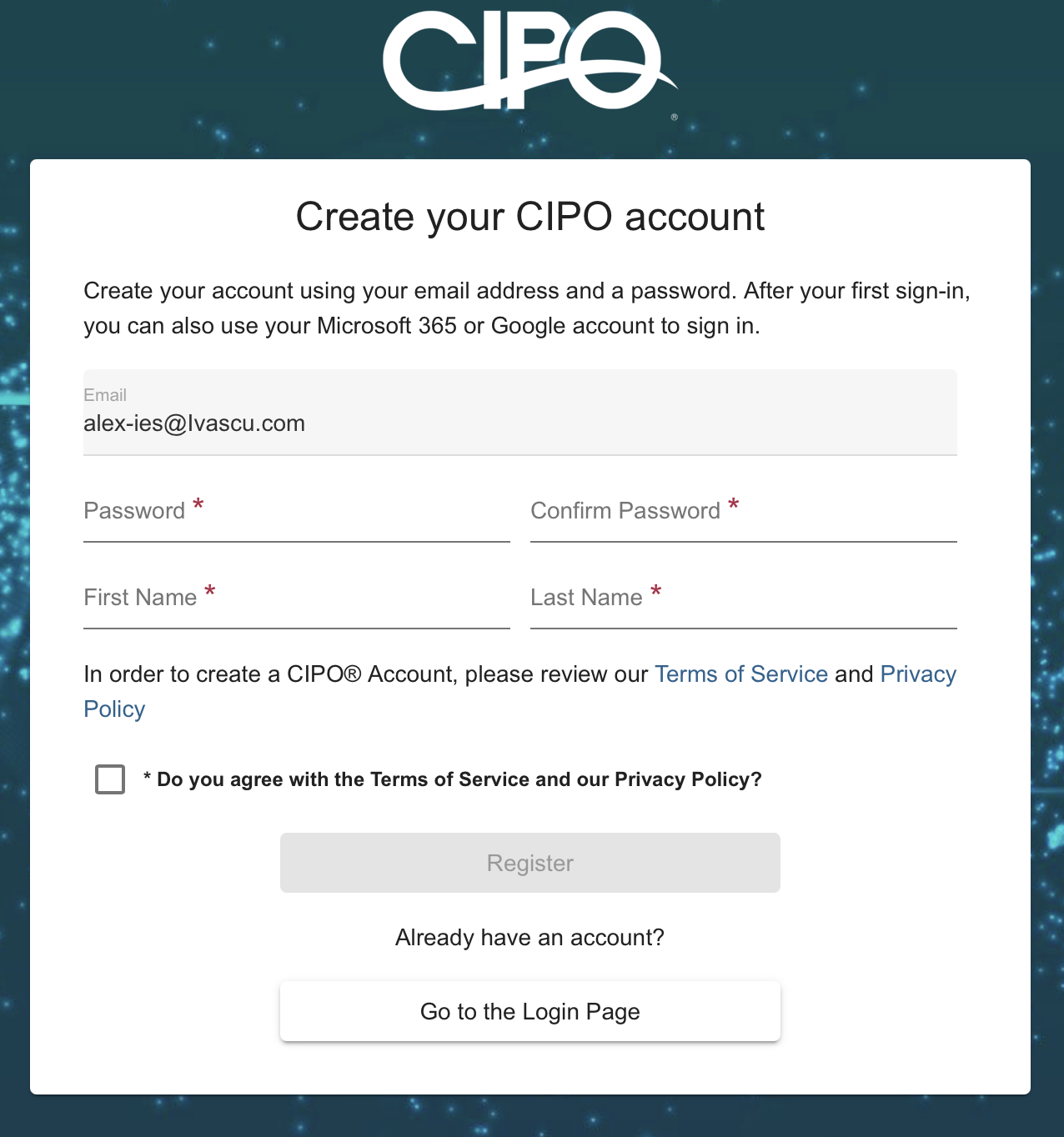
3. Read the Terms and Conditions, then select the checkbox to confirm your agreement.
4. Click Register to complete your registration.
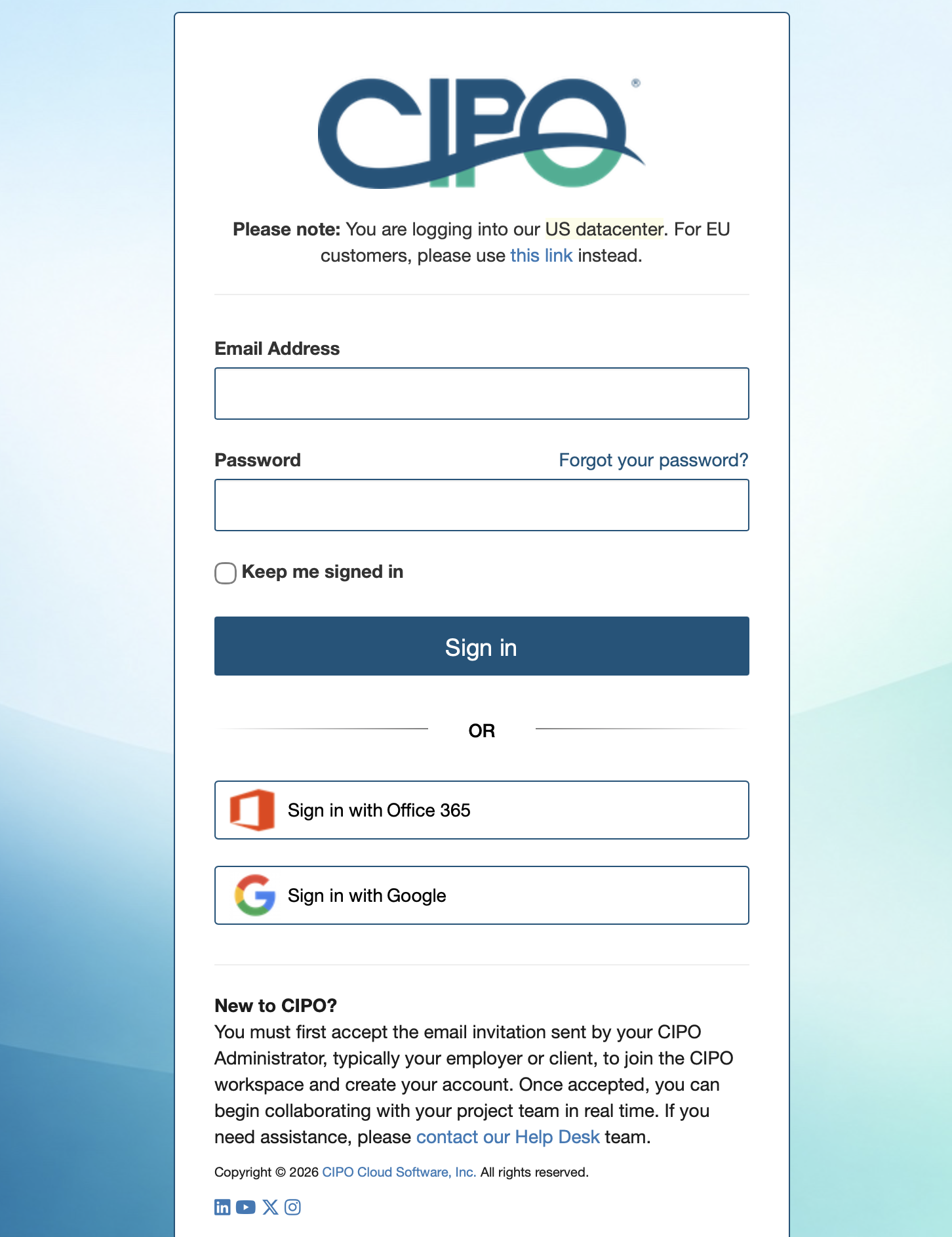
5. You’ll be redirected to the Login page. Enter your email address and password to sign in.